How to reorder 3D parts within the physical product
physical product (assembly tree) Reorder 3DX
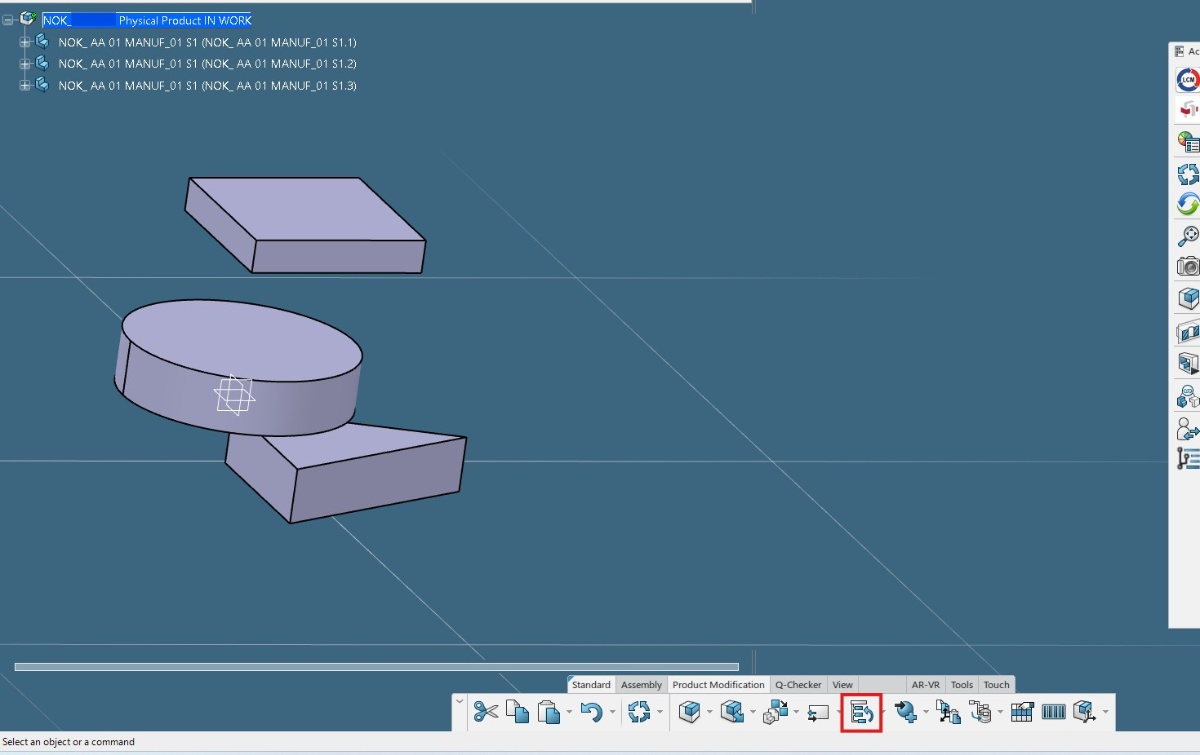
First ensure you are in assembly design. Next double click the physical product. Then in the product modification tab select the tree reorder option.
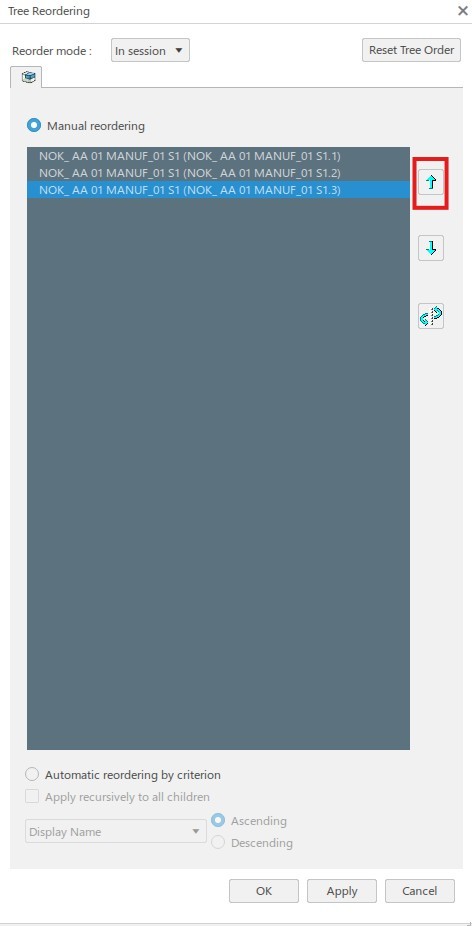
The tree reordering window will pop up. Select the 3D part you wish to reorder and use the arrows to move it into the desired position. Finally click apply then ok.
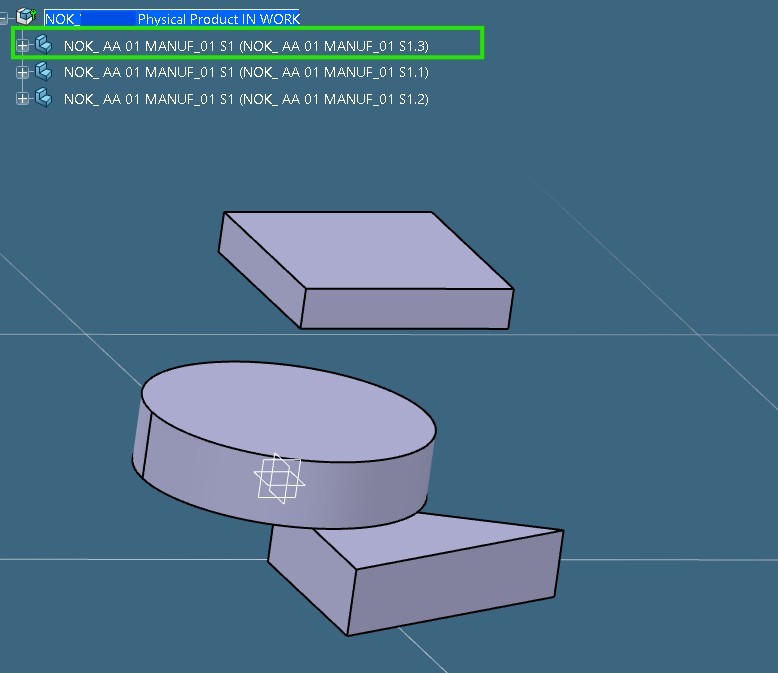
Behold, the part body is now reordered, easy as pie.

- 3DEXPERIENCE
- CATIA
- CAD Tips
- Tree Reorder
- 3D part
- Specification Tree
- CAD Tutorials
- Dassault Systems
- Part Body Management
- CATIA vs 3DEXPERIENCE
- Engineering Design
- assembly