How to reorder part bodies in the 3D shape tree: 3DEXPERIENCE
3D shape tree reorder 3DX
Follow the steps below to easily rearrange your part bodies within a 3D shape tree structure:
1. Activate the 3D Shape
Double click to select the 3D Shape in your tree.
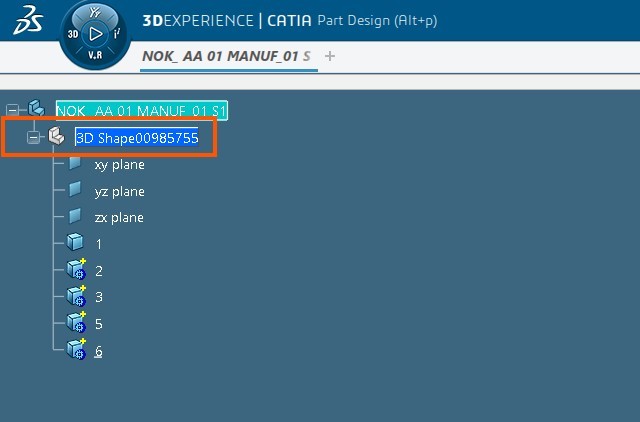
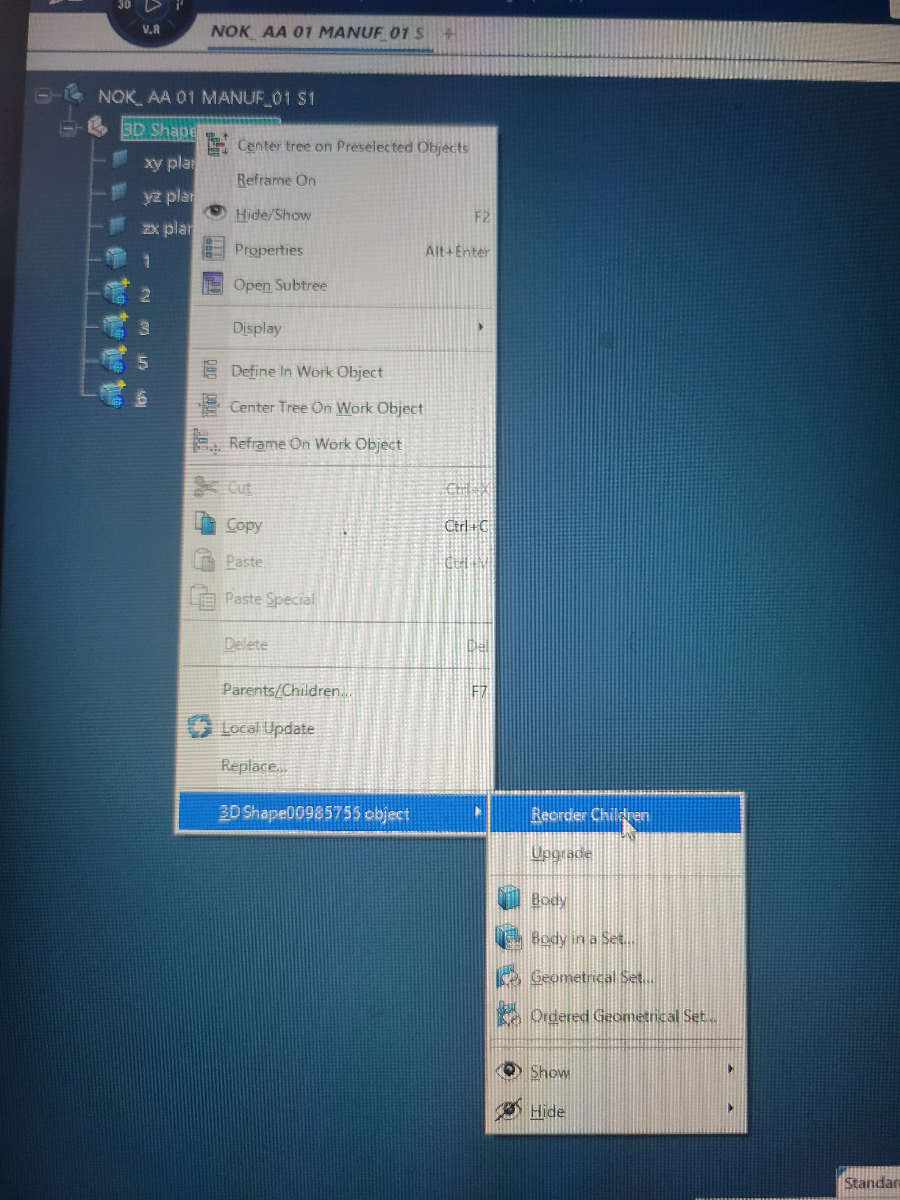
2. Access the Reorder Option
Right-click the 3D Shape, then navigate to the drop-down menu.
Select Reorder Children from the available options.
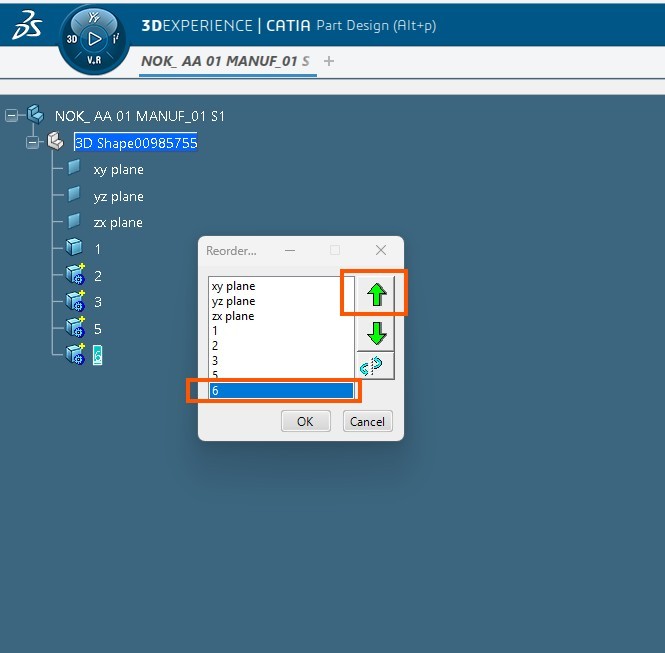
3. Choose and Reposition the Part Body
In the dialog that appears, select the Part Body you want to move.
Use the up/down arrows to adjust its position within the tree.
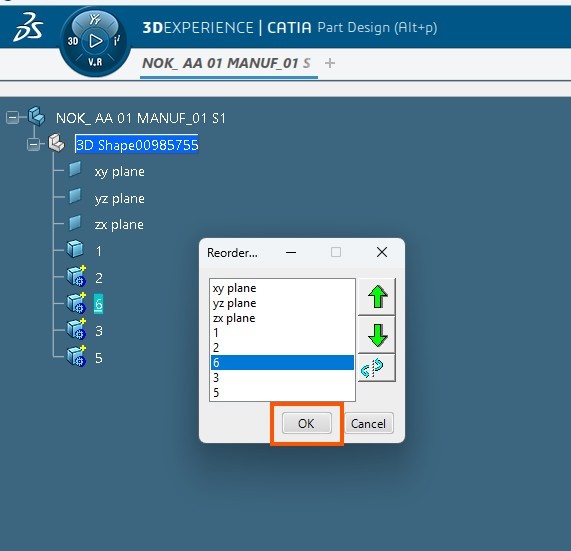
4. Apply the Changes
Once you're satisfied with the new order, click OK to confirm and apply the changes.

- 3DEXPERIENCE
- CATIA
- CAD Tips
- Tree Reorder
- Specification Tree
- CAD Tutorials
- Dassault Systemes
- Part Body Management
- CATIA vs 3DEXPERIENCE
- Engineering Design